Get Alerted Instantly, On Every Channel That Matters
Route monitoring alerts to the right people through Email, Slack, Discord, SMS, or WhatsApp. Organize your team into contact groups and configure granular notification rules — down to the individual monitor level.
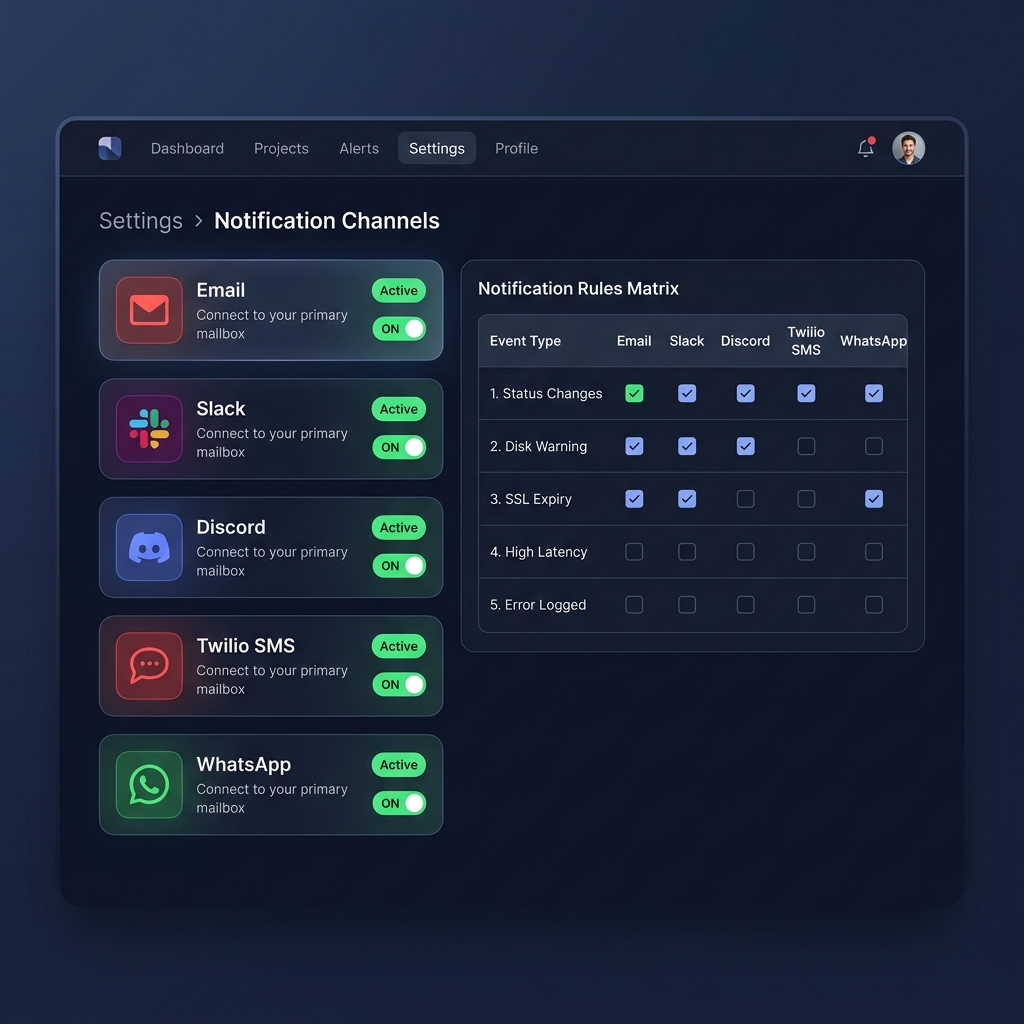
Alert Your Team on the Channels They Already Use
No more missed alerts. Watchling integrates with the tools your team uses every day — from enterprise email providers to instant messaging platforms.
Custom SMTP, Mailgun, Amazon SES, or Postmark — use your own API keys for full control.
Slack
Send rich-formatted alerts to any Slack channel via webhook integration.
Discord
Rich embeds with color-coded alerts delivered to your Discord server channels.
SMS
Critical alerts via Twilio SMS — reach on-call engineers even when they're offline.
Instant WhatsApp messages via Twilio — rich-text alerts on the world's most popular messenger.
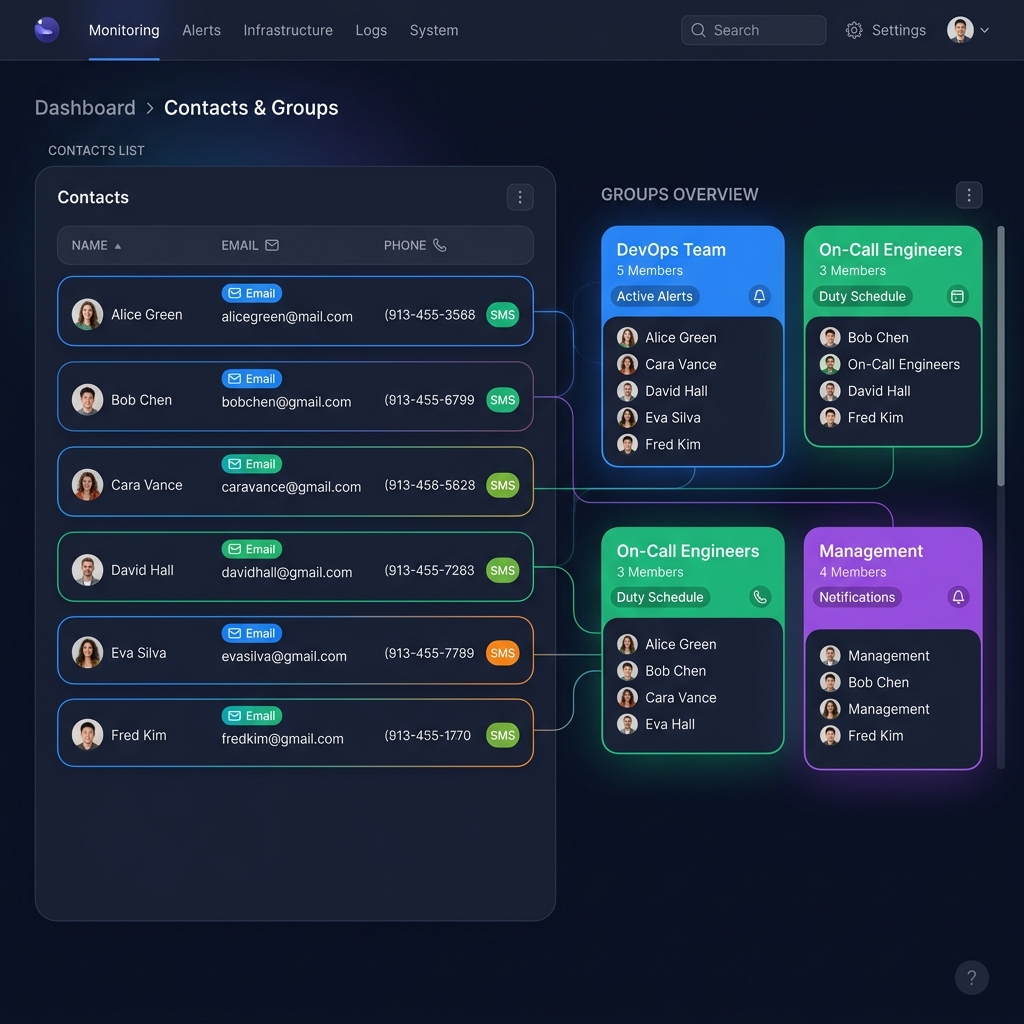
Route Alerts to the Right People
Create contacts with email addresses and phone numbers. Organize them into groups like "DevOps Team", "On-Call Engineers", or "Management" — then target specific groups for each alert type.
Add team members with their email and phone number. Each contact can receive alerts via any channel.
Group contacts by role, team, or escalation tier. A contact can belong to multiple groups simultaneously.
Send disk warnings to DevOps, SSL alerts to Security, and status changes to everyone — all configurable.
Configurable Notification Rules — Default & Per-Monitor
Set global notification defaults, then override them for individual monitors. Never send the wrong alert to the wrong person again.
Default Notification Rules
Set up a rules matrix mapping event types to channels. Toggle checkboxes to enable or disable each combination — status changes via Slack, SSL expiry via SMS, disk warnings via email, and more.
Per-Monitor Overrides
Each monitor can have its own notification rules that override the defaults. Critical production servers get SMS alerts; staging servers get Slack-only notifications.
Get Notified for Every Critical Event
Watchling tracks six distinct event types across all your monitors. Enable or disable each one per channel for complete control.
Status Changes
Get alerted when a server, website, or API goes down — and again when it comes back online with downtime duration.
Disk Warnings
Server disk usage exceeding 80% triggers warnings before you run out of space and face service outages.
Log Changes
Tracked log files growing in size means new errors. Catch PHP exceptions, 500s, and crashes in real time.
Content Changes
Website homepage content hash changes. Detect defacements, unauthorized edits, or accidental deployments.
Cloudflare Errors
Cloudflare error pages (520–530) often mask your real server status. Watchling detects them specifically.
SSL Expiry
Get warned 14 days before your SSL certificates expire, with escalating urgency as the deadline approaches.
How Notification Routing Works
Three steps to intelligent alert routing that ensures the right person gets the right alert, every time.
Add Notification Channels
Connect your Email, Slack, Discord, SMS, or WhatsApp accounts. Each channel stores its own credentials securely with encryption at rest.
Create Contacts & Groups
Add your team members with their email and phone number. Organize them into groups like "DevOps", "On-Call", or "Management" for targeted routing.
Configure Rules
Use the rules matrix to map event types to channels and recipients. Override defaults for specific monitors that need different escalation paths.